Collect
This page allows a fast and reliable management of the tracker collection during and at the end of the event. Designed for best use on smartphones and tablets.
Functions
Collect
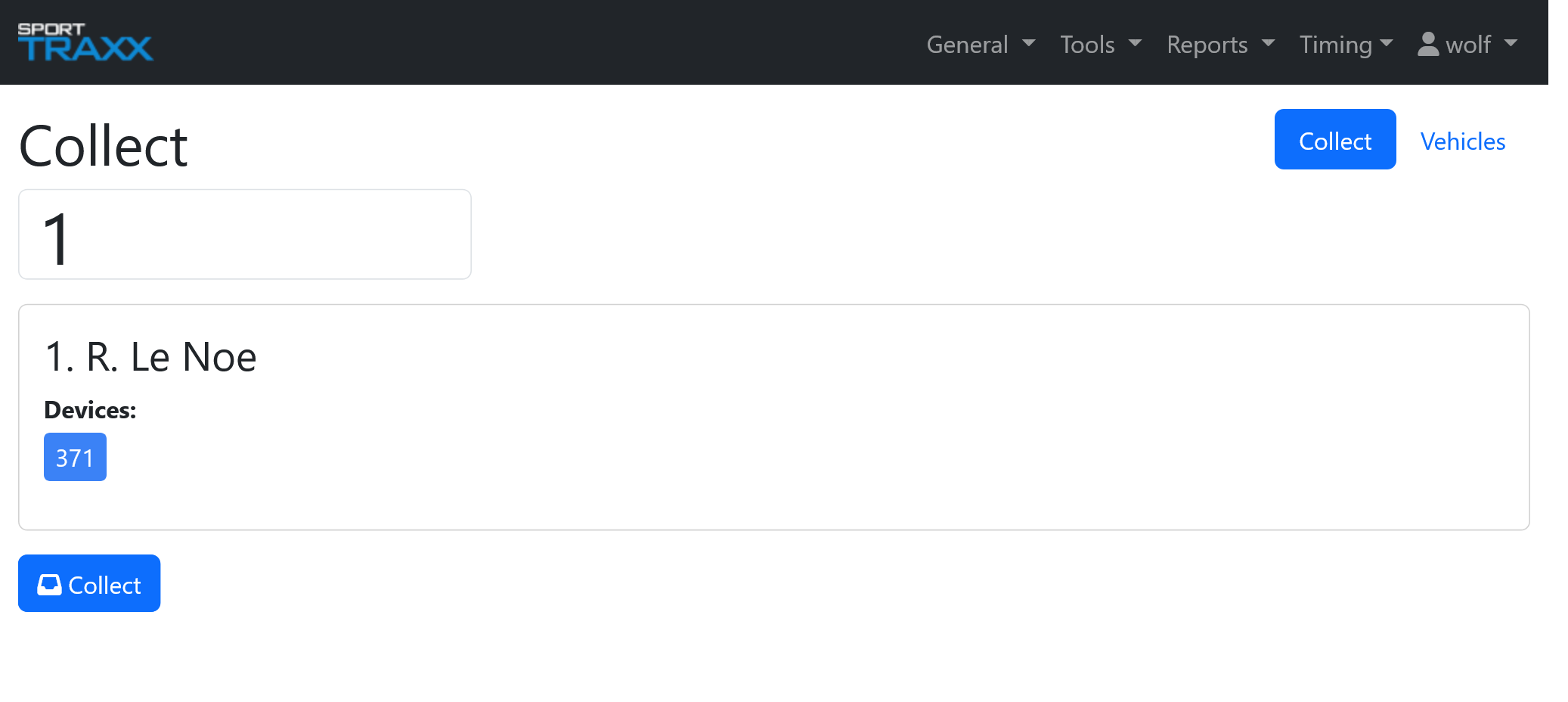
Type the number of the vehicle whose tracker you are collecting and press enter.
A box will confirm the ID number of that device (eventually you might see 2 tracker’s IDs if that vehicle was also having an alias, that you are eventually also collecting). If you indeed have in your hands that (or those 2) devices, then confirm pressing the Collect button.
If that number had already been collected, and you are mistyping the number of another device, overwrite it with the correct number and confirm.
If the typing mistake happened earlier and you are indeed typing the number of the tracker you have now, then you will get a notification saying: “set as not collected”, then, by pressing on it, you cancel the previous note. At this point you can retype that number and proceed. Do not forget to manage the previous mistake.
Vehicles
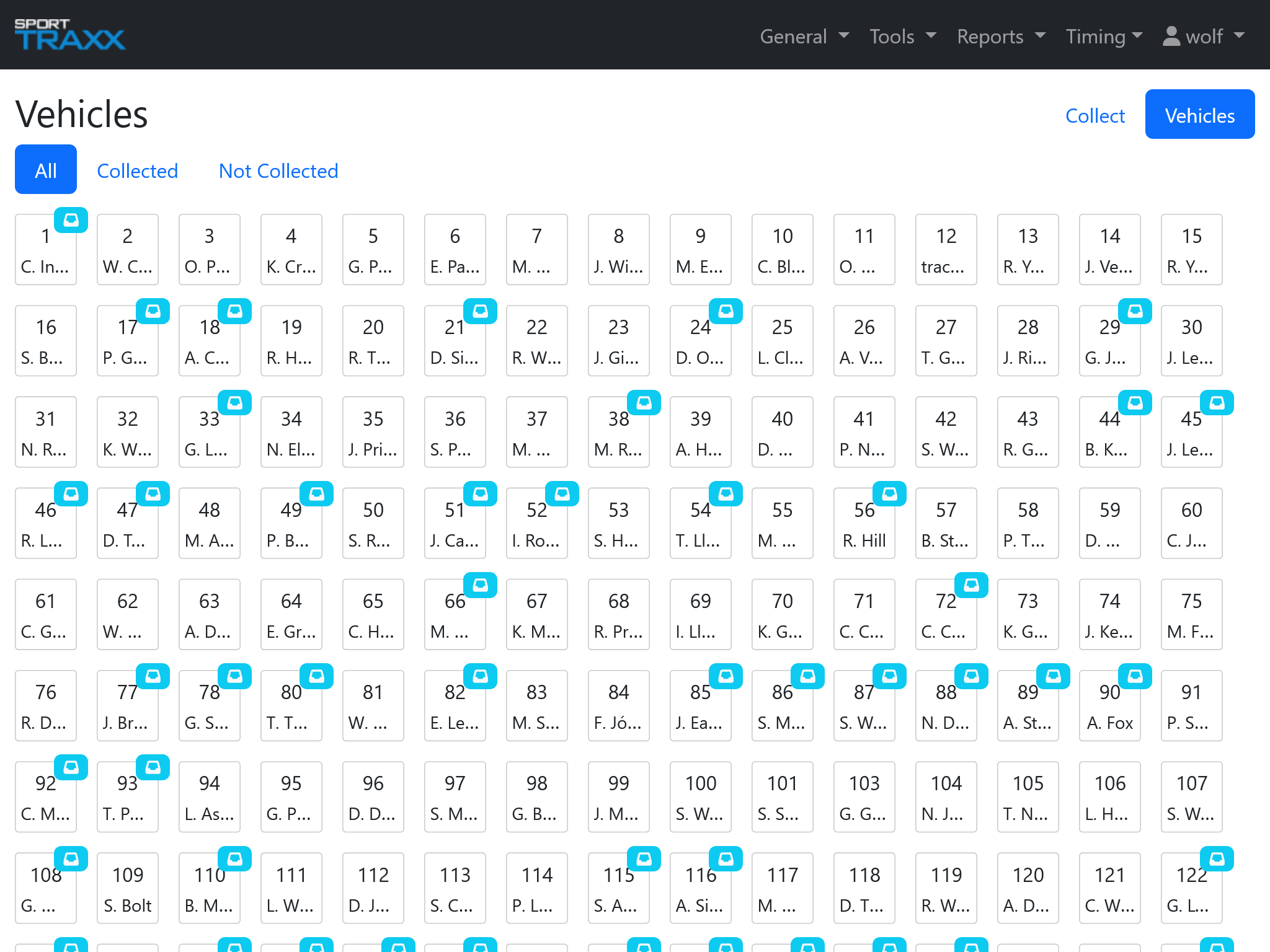
The list of vehicles is shown and for the already collected ones a small icon will be displayed. You can filter All, Collected and Not collected trackers using the dedicated buttons.